Settings
Watch it: Test before you trust. A strategy card, its four bars, the hold-out test, and the verdict with its chance level. Silent screen capture of the real application.
Held-out labelcompartment
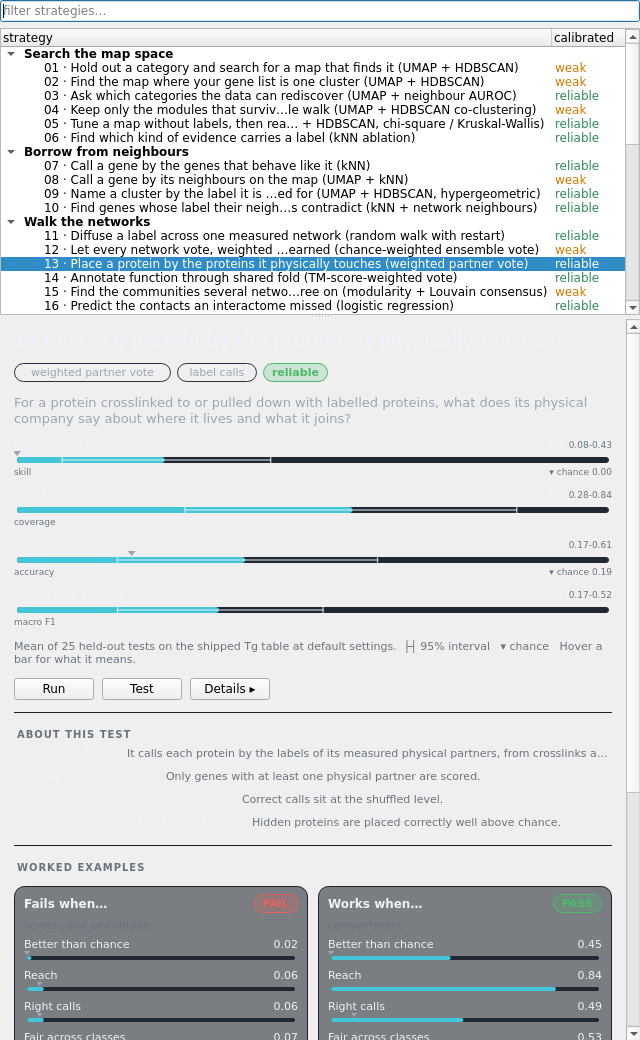
The card strategy 13 opens on: the same four bars as every strategy (better than chance, reach, two plain task metrics, each with its interval and chance), Run / Test / Details ▸, what its test does, and one real failure beside one real success.
Console
strategy 13 test: Place a protein by the proteins it physically touches (weighted partner vote) -- started
physical_partners: 300 labelled genes hidden, 2,853 left to learn from
physical_partners: null 1 of 20
physical_partners: null 2 of 20
physical_partners: null 3 of 20
physical_partners: null 4 of 20
physical_partners: null 5 of 20
physical_partners: null 6 of 20
physical_partners: null 7 of 20
physical_partners: null 8 of 20
physical_partners: null 9 of 20
physical_partners: null 10 of 20
physical_partners: null 11 of 20
physical_partners: null 12 of 20
physical_partners: null 13 of 20
physical_partners: null 14 of 20
physical_partners: null 15 of 20
physical_partners: null 16 of 20
physical_partners: null 17 of 20
physical_partners: null 18 of 20
physical_partners: null 19 of 20
physical_partners: null 20 of 20
physical_partners: PASS
strategy 13 run: Place a protein by the proteins it physically touches (weighted partner vote) -- started
physical_partners: done in 2.1s
PASS: correct calls per hidden gene 0.520 against 0.069 ± 0.017 under 20 runs on shuffled labels (bar 0.098, p 0.0476); effect +0.451, needed +0.050; 300 hidden
271 unlabelled genes with a measured physical partner in xlms + ip_ms are called by their partners' compartment, weighted by crosslink or pulldown count. Each call names the partners that made it.